
Initially the digital video card project was designed to do on-the-fly image scaling and processing. The achilles to this approach was matching the source framerate to the output frame rate.
I have tried a few tricks that I thought all video processors would take performing just line alignment.
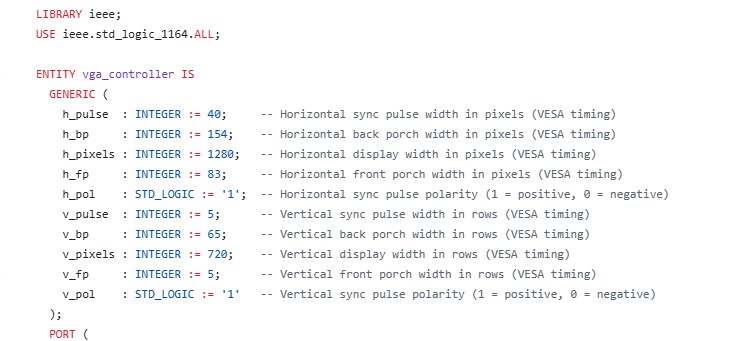
The first trick was to manipulate the hsync period so it was approximately 1/4 the source. That way, I can cache a line and output it 4x before another readout occurs. This also included resetting the vsync counter. I would like to note that the below values are not the norm for standard 720P timings. These manipulate the hsync period so the 1 line latency trick works.
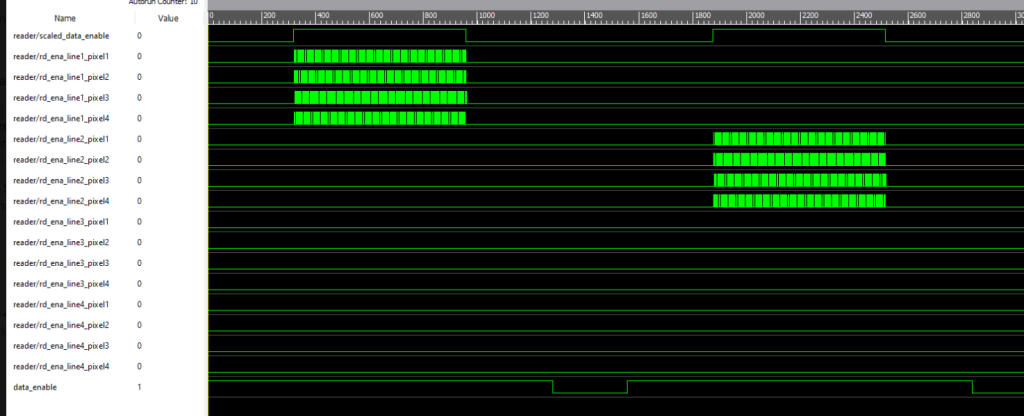
Above is an example of the chip running the video, scaling (well, sequentially reading fifos).
This did work by using fifos to pass all the data around. The Retrotink4KCE was able to pick it up sanely and run the video no problem! But all 4 monitors I tried the output with didn’t pick it up.
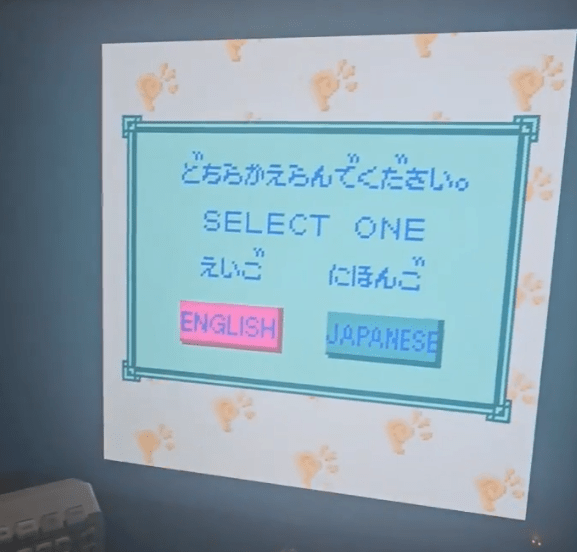
Latency with this output is approximately 83uS or one horizontal line in this case. I might include this type of mode as an optional output since it’s the lowest latency. This would probably be the best setting to use if you are using an external 4K video processor. So while it’s nice, it isn’t stable each frame for TVs to lock onto but RT4K lock totally fine. So I stashed that commit and tried another approach.
The next thing attempted was resetting the vsync counters in the vga controller module that generates all the video signals to a specific number to align source vsync and output vsync.

The de_flag_gen signal is a data enable signal that I am regenerating based on the source video output. The NGPC, GBA, GBC, GB, PSP, DS, Wonderswan and Watara Supervision don’t have this signal. The signal is supposed to tell the rest of the processor that “active pixels are present’, because sometimes we don’t have active pixels present even when the pixel clock is running.
So the active pixels coming in aren’t aligning with the output signal I am calling data_enable_scale, which is a signal that indicates the center of our output video on the screen, and not necessarily the data enable for 720P. We see they don’t align.
However, by manipulating the counter reset, we can align the video differently. This was my initial approach, to constantly reset the hsync counter and align the de_flag_gen flag further to the left. This didn’t work either though.
So it appears it isn’t possible to frame lock a video source sanely and scale sanely. Hence the next switch will be using the DDR3 on the Tang138k for development
Gowin has a lot of chips and I’m moving to the Arora V chip line and using a DDR3 chip. This line has more BRAM and PLL than the 55nm Littlebee line. The DDR3 chip is actually cheaper than SDRAM which is wild these days.
The GW5A has 25K logic, hard module for MIPI TX, and lots of BRAM. So prototyping on the Tang 138K is very fitting since that is also an Arora V chip. With that being said, this is looking like a not-cheap approach at this point. So, I will need to implement a lot of features to make this more competitive. It will be dual SMT board and BGA, so the cost will go up which is unfortunate. It just isn’t…..wise…to wire DDR3 to a QFP144 I don’t think.
I would also like to include a final note about IP cores. Gowin does have a scaler, framebuffer, and DDR3 IP cores. They also have MIPI IP cores. I don’t plan to use frame buffer and scaler IP cores, but will use DDR3 controller. This is very specifically because the Nintendo DS uses dot interweaving for it’s screen and is therfore not going to fit my requirements. I have mentioned this in a previous blogpost, and that will require a custom pixel packet for the DDR3 that IP cores cannot perform. Also, Gowin’s frame buffer cannot accept video sources without a constant pixel clock. So, no handhelds at all. Well, PSP it could work and that’s it. But you still need to create a data enable for the video source since none of these have data enable flags.
However, due to the increase in part requirements, time requirement to get working, and overall cost, I will implement a dual output. One for standard 720P or 1080P video output, and another with a specialized low latency mode. Currently, a direct video mode doesn’t appear possible except for PSP. I don’t think anyone else is offering this. But I have to build it first. I’ll use tang mega 138k for development until the tang mega 138k pro arrive for development.
Stay tuned.
 Ascendance Systems
Leave a comment